EUCLID

platform

See how Euclid works.

A guided tour of the platform, from uploading your first file to understanding every flag and automating intake. Everything below is the real product.

01 / upload

Bring your leads in

Sign in, set up your organization, invite your team, and start scoring. Uploading takes a few clicks and every stage is visible.

01 · Dashboard

Start from one clear overview

After you sign in, the dashboard summarizes everything your organization has scored: total datasets, leads analyzed, high-risk leads, and your average Euclid Score. When you are ready for new data, upload is one click away.

  • Organization-wide totals at a glance
  • Sidebar access to datasets, agents, layouts, and portfolio analytics
  • Team, audit trail, and organization settings in one place
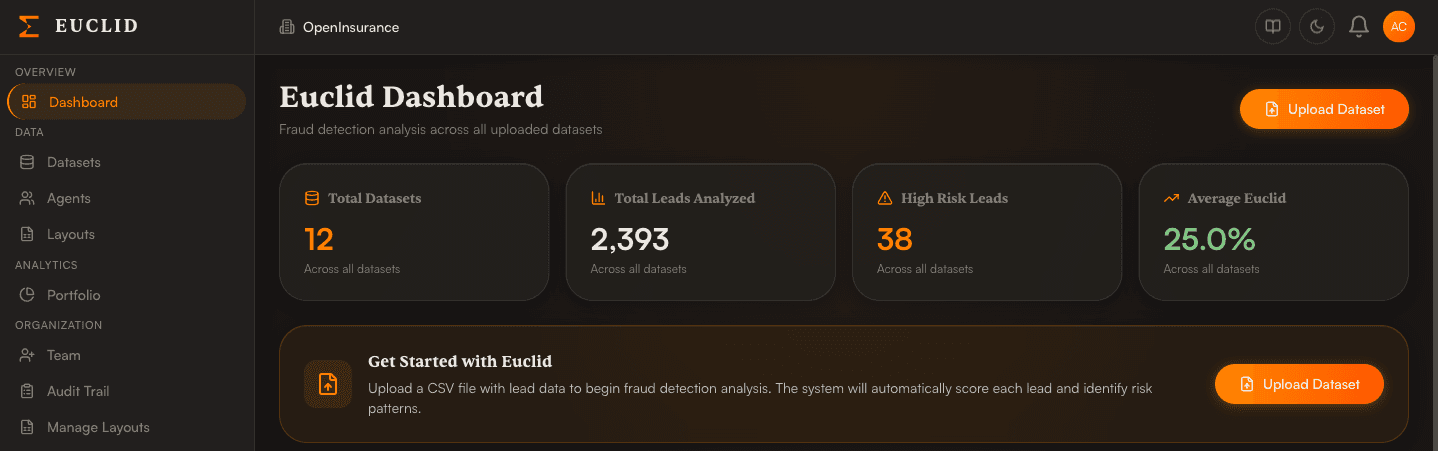
Euclid dashboard showing total datasets, leads analyzed, high-risk leads, and average Euclid score, with a Get Started prompt to upload a dataset.
Swipe sideways to explore →

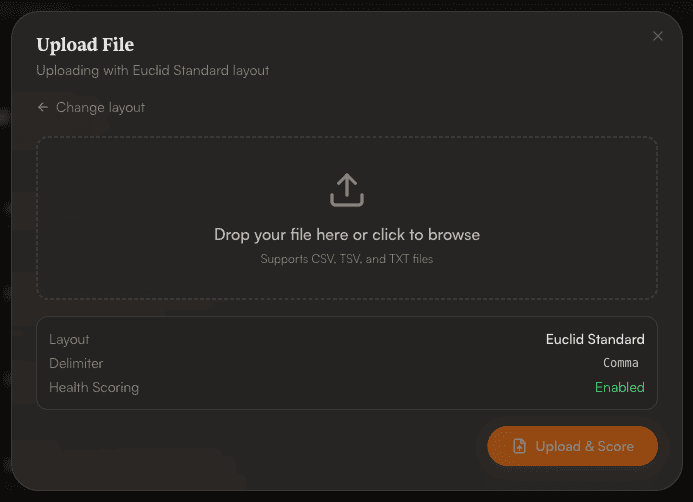
02 · Upload

Upload a file in seconds

Pick the layout that matches your file, then drop it in. Euclid shows the layout, delimiter, and whether health scoring applies before anything runs.

  • CSV, TSV, and TXT files supported
  • Layout and delimiter confirmed before you upload
  • Layouts without health data skip health scoring, and the summary tells you which applies
Upload File dialog with a drag-and-drop area and a summary of the selected layout, delimiter, and health scoring status.

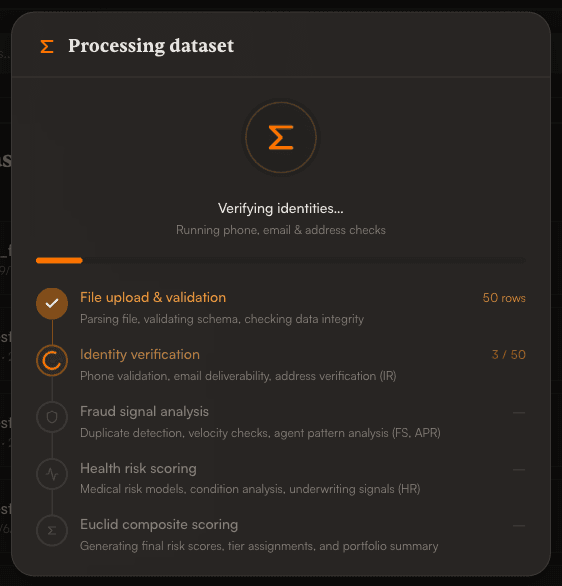
03 · Processing

Watch your file get scored

A live progress view walks through each stage of the pipeline, so you always know where your file is and what is being checked.

  • File upload and validation: parsing, schema, and data integrity
  • Identity verification: phone, email, and address checks
  • Fraud signal analysis: duplicates, velocity, and agent patterns
  • Health risk scoring and the final Euclid composite score
Processing dataset dialog showing five pipeline stages with identity verification in progress.

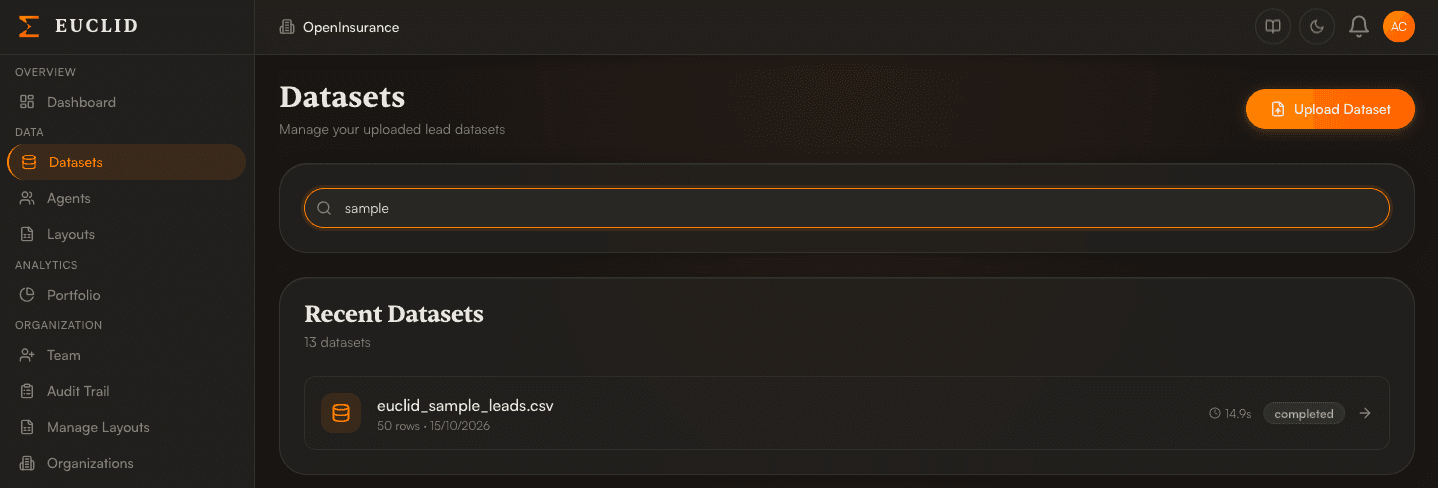
04 · Datasets

Find any dataset, any time

Every upload is saved to your Datasets list with its row count, upload date, processing time, and status. Search by name to jump straight back to your results.

  • Searchable list of every upload
  • Status and processing time at a glance
  • One click to open a dataset
Datasets page with a search box filtering to a completed dataset showing its row count, date, and processing time.
Swipe sideways to explore →
02 / review

Review every result

Each dataset opens to a clear summary, then lets you go as deep as you need, from the full lead list to a map of where risk concentrates.

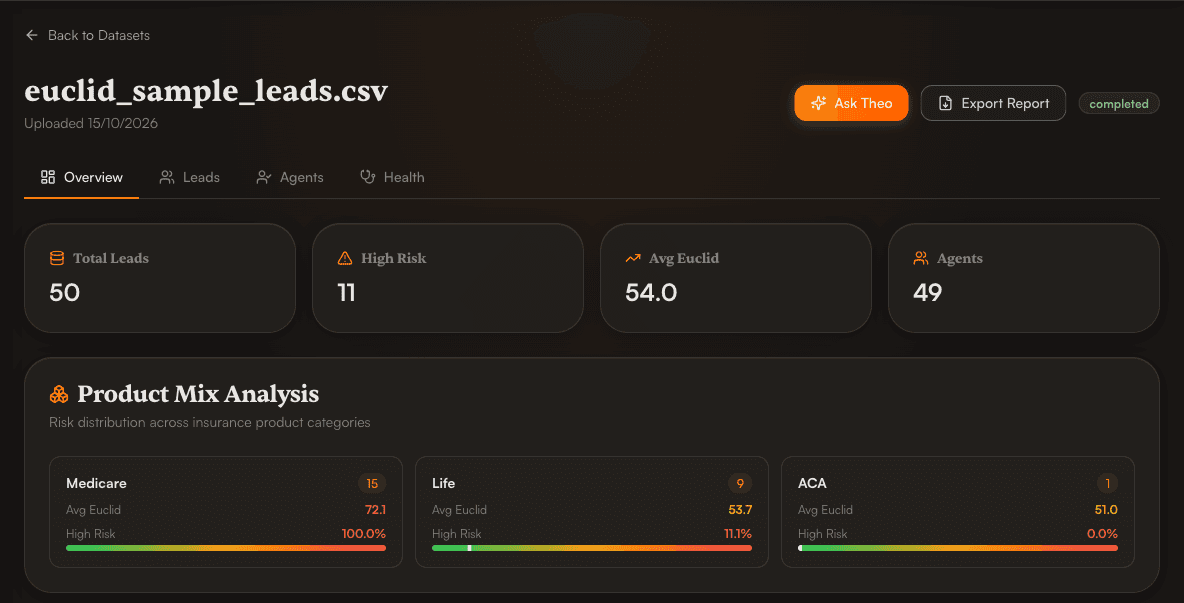
05 · Overview

Get the big picture first

Each dataset opens on an overview with total leads, high-risk count, average Euclid Score, and number of agents. Product Mix Analysis shows how risk breaks down across insurance product categories.

  • Summary cards for every dataset
  • Average score and high-risk share by product
  • Ask Theo and Export Report always one click away
Dataset overview with summary cards for total leads, high risk, average Euclid score, and agents, plus a product mix analysis.
Swipe sideways to explore →

06 · Leads

Every lead, scored and ranked

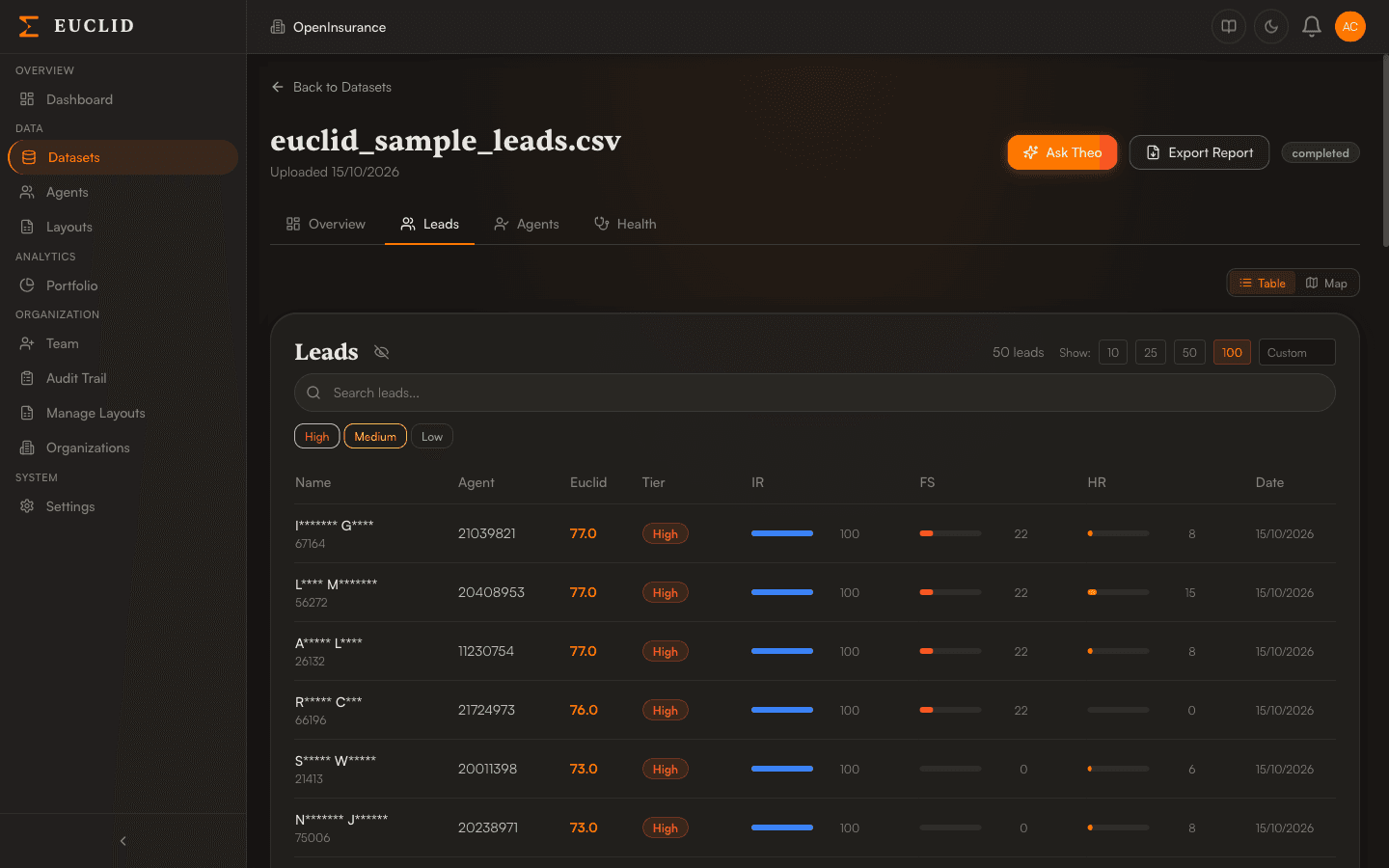
The Leads tab lists each lead with its Euclid Score, risk tier, and the three engine scores (Identity Risk, Fraud Signal, and Health Risk) as quick-read bars. Names are masked in the list.

  • Filter by High, Medium, or Low tier
  • Search leads and choose how many rows to show
  • Switch between table and map views
Leads table showing masked names, agent IDs, Euclid scores, risk tiers, and Identity, Fraud, and Health engine score bars.
Swipe sideways to explore →

07 · Map view

See where risk concentrates

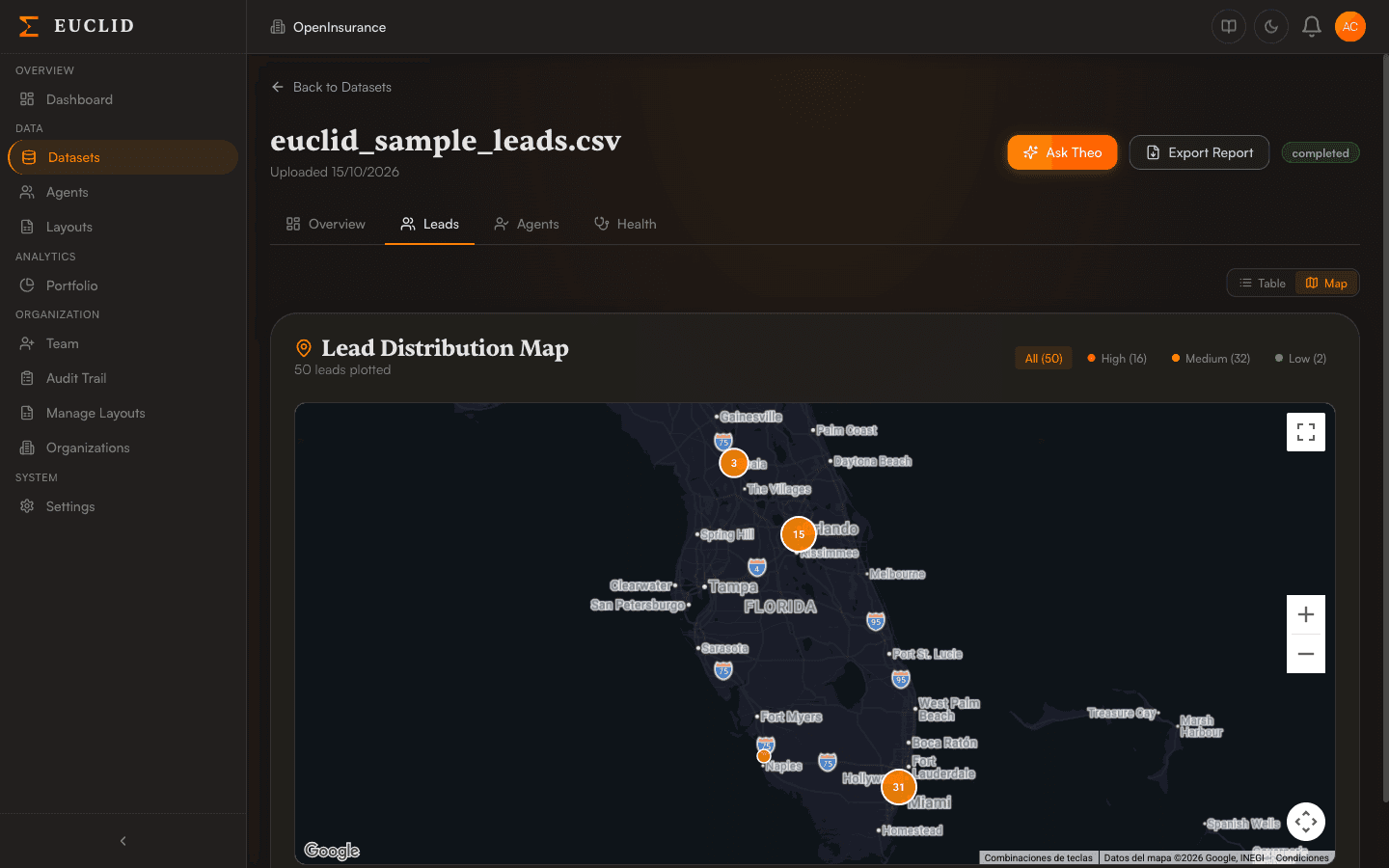
Map view plots your leads geographically in clusters, so regional hotspots stand out. Filter by tier to focus on the leads that matter most.

  • Clustered lead markers
  • Filter by High, Medium, or Low
  • Zoom and pan to explore
Lead distribution map of Florida with clustered markers and filters for high, medium, and low risk tiers.
Swipe sideways to explore →
03 / investigate

Understand the why

Euclid does not just hand you a number. Every score traces back to specific, plain-language reasons your analysts can act on.

08 · Lead detail

Open any lead for the full picture

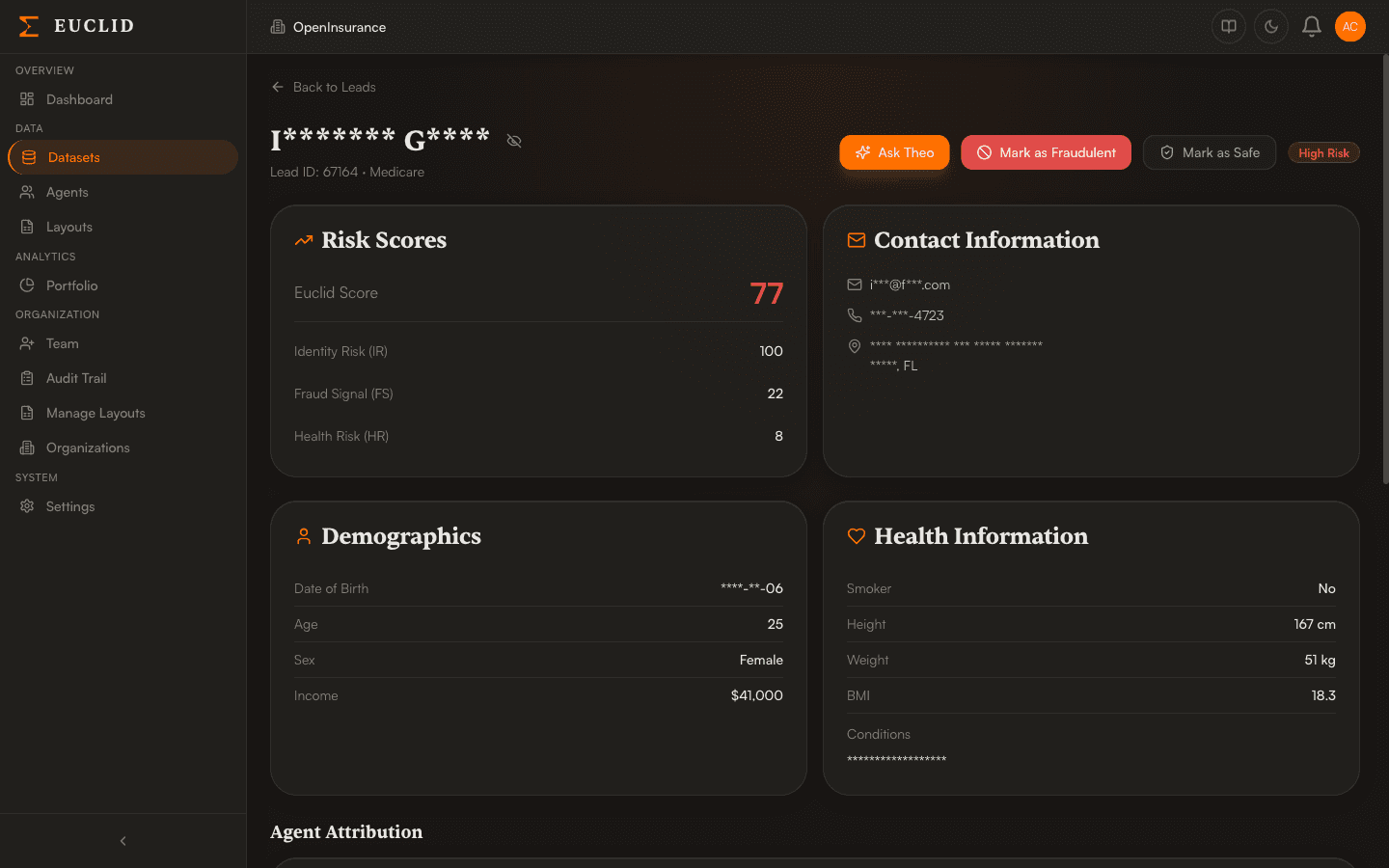
A lead's page brings together its Euclid Score and engine scores with contact, demographic, and health information, with sensitive fields masked. When you have made a decision, record it right there.

  • Euclid, Identity, Fraud, and Health scores side by side
  • Mark as Fraudulent or Mark as Safe
  • Ask Theo about this lead
Lead detail page with risk scores, masked contact information, demographics, health information, and Mark as Fraudulent and Mark as Safe buttons.
Swipe sideways to explore →

09 · Risk breakdown

Know exactly why a lead was flagged

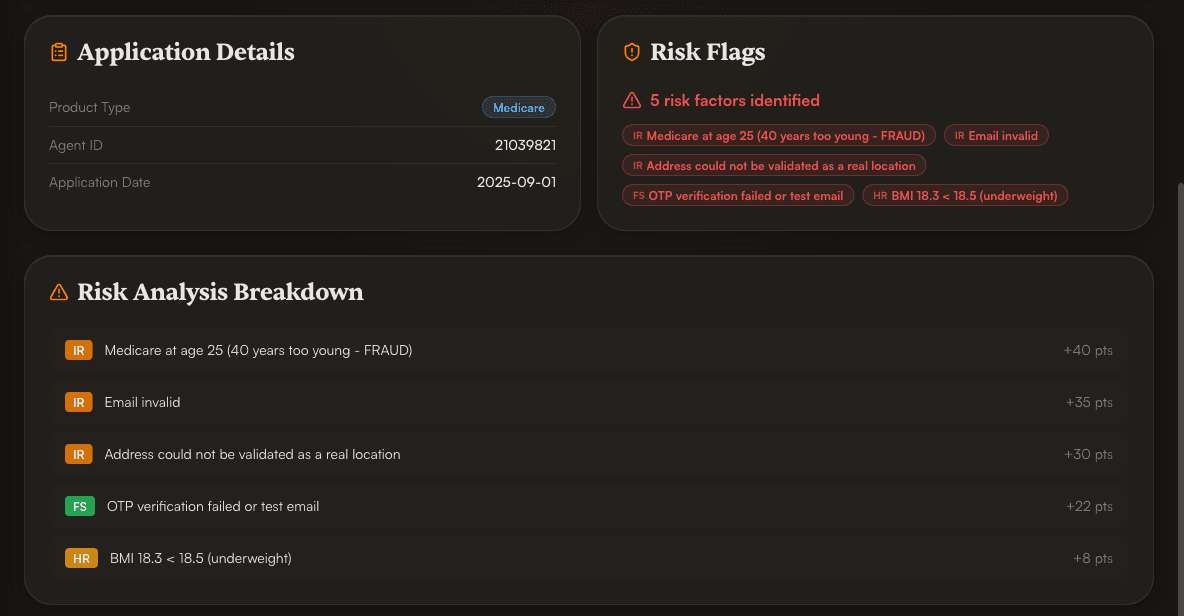
Every score is explainable. Risk Flags list each factor identified, and the breakdown shows how many points each one contributed, labeled by the engine that found it.

  • IR, FS, and HR labels show which engine raised each flag
  • Point contribution for every factor
  • Plain-language reasons your analysts can act on
Risk flags and a risk analysis breakdown listing five factors, each tagged IR, FS, or HR with the points it contributed.
Swipe sideways to explore →

10 · Agents

Spot patterns by agent

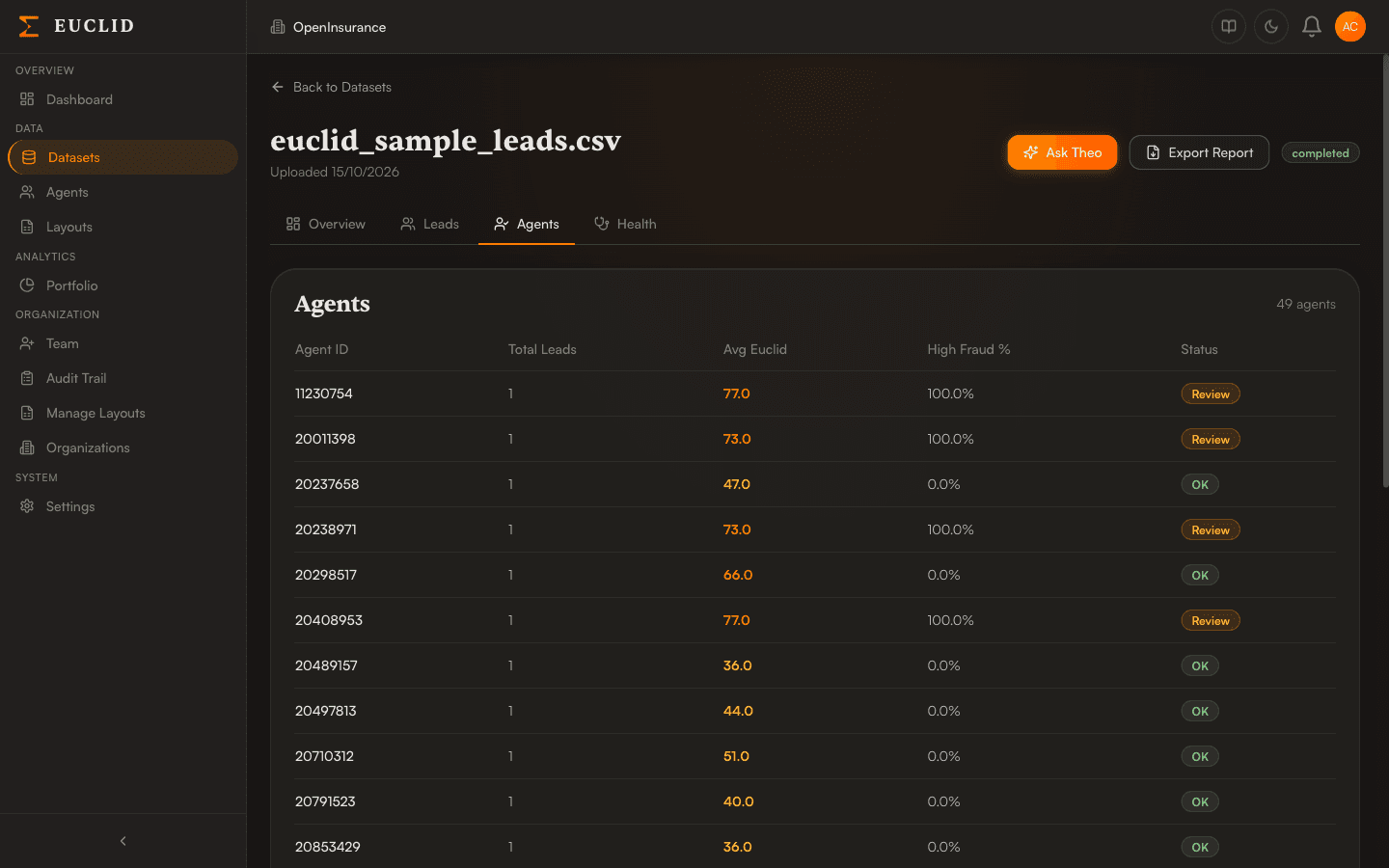
The Agents tab rolls leads up by submitting agent: total leads, average Euclid Score, high-fraud percentage, and a status that tells you who to review. Open any agent to see submission patterns and fraud signals.

  • Average score and high-fraud rate per agent
  • Review and OK status flags
  • Drill into an agent's submission patterns
Agents table with agent IDs, total leads, average Euclid score, high fraud percentage, and a Review or OK status.
Swipe sideways to explore →

11 · Health

Layer in health insights

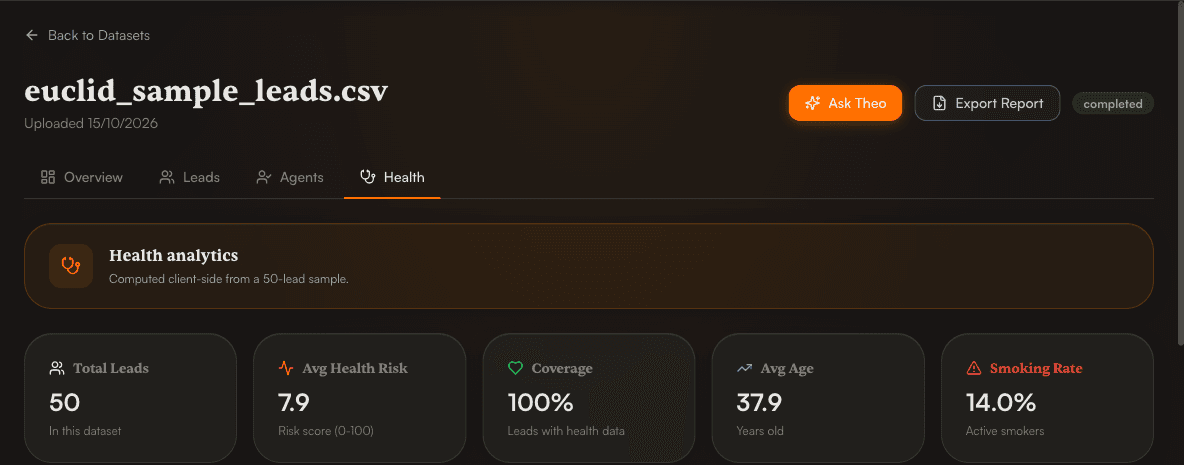
When your file includes health data, the Health tab adds portfolio-level analytics: average health risk, coverage, average age, and smoking rate, plus condition patterns and risk-factor correlations.

  • Average health risk score on a 0 to 100 scale
  • Top medical conditions and comorbidity pairs
  • Risk-factor correlations for age, BMI, and smoking
Health tab with health analytics cards for total leads, average health risk, coverage, average age, and smoking rate.
Swipe sideways to explore →
04 / act

Ask and export

Turn findings into answers and deliverables without leaving the dataset.

12 · Ask Theo

Ask Theo anything

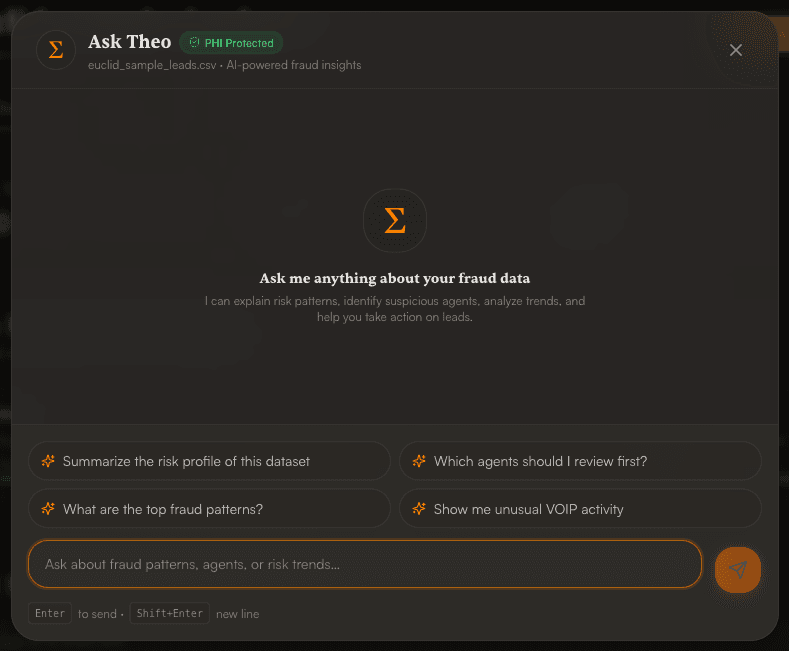
Theo is Euclid's AI assistant. Ask in plain English about fraud patterns, suspicious agents, or risk trends in the dataset you are viewing, or start from a suggested question. The dialog is labeled PHI Protected.

  • Summarize a dataset's risk profile
  • Find which agents to review first
  • Surface top fraud patterns or unusual VOIP activity
Ask Theo dialog labeled PHI Protected with suggested questions about risk profile, agents to review, fraud patterns, and VOIP activity.

13 · Export

Export what you need

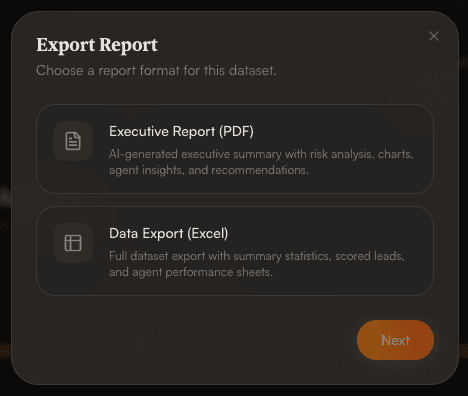
Generate an AI-assisted Executive Report (PDF) with risk analysis, charts, agent insights, and recommendations, or download a full Excel export with summary statistics, scored leads, and agent performance sheets.

  • Executive Report (PDF) for stakeholders
  • Data Export (Excel) for deeper analysis
  • Both available from the Export Report button
Export Report dialog offering an Executive Report in PDF and a Data Export in Excel.
05 / automate

Set it and forget it

Once you are comfortable with the workflow, take manual uploads out of the loop.

14 · SFTP

Automate with SFTP

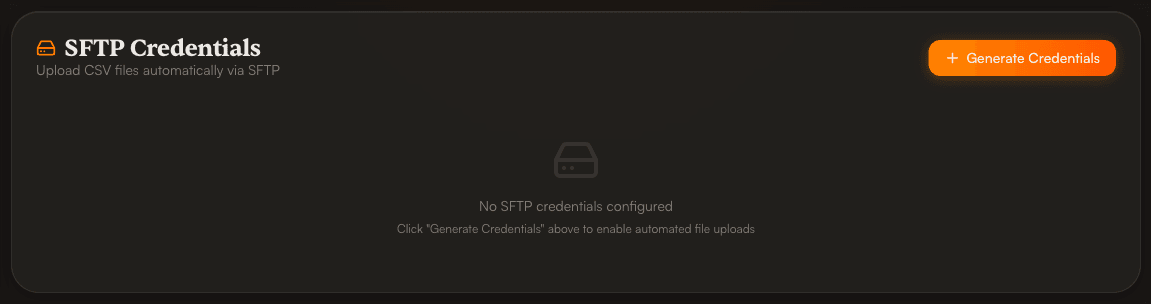
Skip manual uploads: generate SFTP credentials for your organization and drop CSV files straight into a secure folder. Files are processed with your default layout, and you are notified by email when processing completes.

  • One-click credential generation
  • Optional IP allow-listing
  • Reset the password or revoke access at any time
SFTP Credentials card with a Generate Credentials button for uploading CSV files automatically.
Swipe sideways to explore →

See Euclid on your own data

Log in to upload a lead file and get a scored, explainable risk report.

Log in